MemoCam · Free for Android

Simple camera. Smart memory.

MemoCam works like a normal camera. Open it, press the button, take a photo. The difference: every photo is saved with the place, the weather, the time and the direction you were facing. Years later, you will still know where you were.
No sign-in No cloud No ads

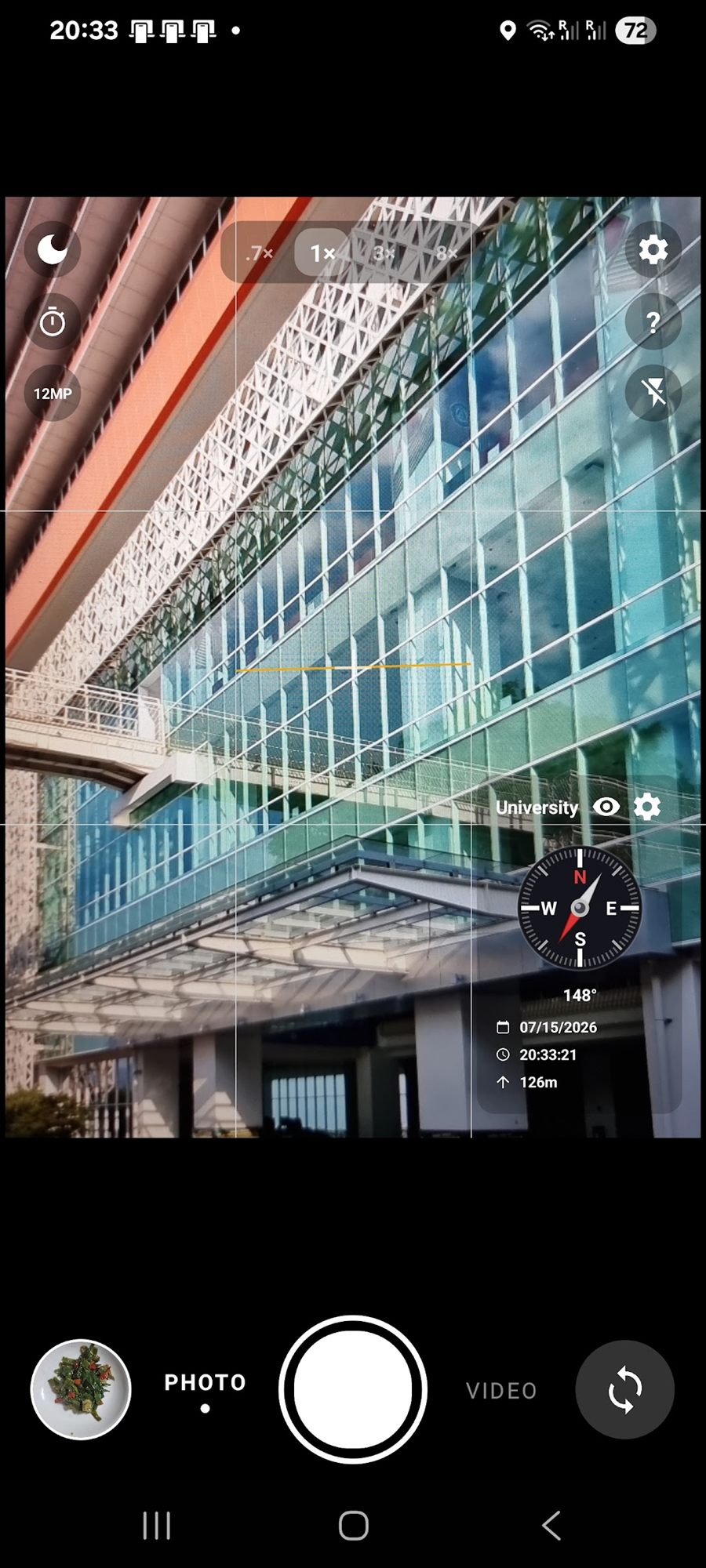
The MemoCam viewfinder showing a glass building, with a compass reading 148 degrees, the date, the time and 126 m altitude in the corner.

What it adds

A simple camera with smart helpers inside

Big shutter button. Front and rear camera. Zoom. Flash. Grid lines. Video with sound. Nothing new to learn — but every photo you take is also a small diary.

Live information on every photo

City, country, temperature, height, GPS, compass direction, speed, date and time. You choose which ones to show, in which order, and at what size.

Home distance and two clocks

Save your home city once. Every photo then shows how far you are from home, and your local time next to your home time. Perfect for travel.

Trip day counter

Set a trip date or an event date. Every photo then shows the day number, like Day 3 or Day 0. Great for trips, projects and important days.

Voice tag in one tap

Tap the microphone and say the name of your trip. All the next photos use that name — on the photo, in the file name and in the file information. Voice is read on your phone, never sent online.

Real compass and speedometer

A small compass shows your direction in real time. The speedometer shows your speed as a number or as a clean gauge, in km/h, mph, m/s or knots.

A complete camera

Full quality photos and HD video with sound. Front and rear camera, flash, grid lines, and five zoom levels — 0.6×, 1×, 2×, 3× and 10× on a real lens, not blurry digital zoom.

Screenshots

MemoCam on a real phone

Select a screenshot to see it larger.
MemoCam viewfinder showing a glass building, with a compass at 148 degrees, the date, the time and 126 m altitude.
The viewfinder, with zoom presets and grid lines.
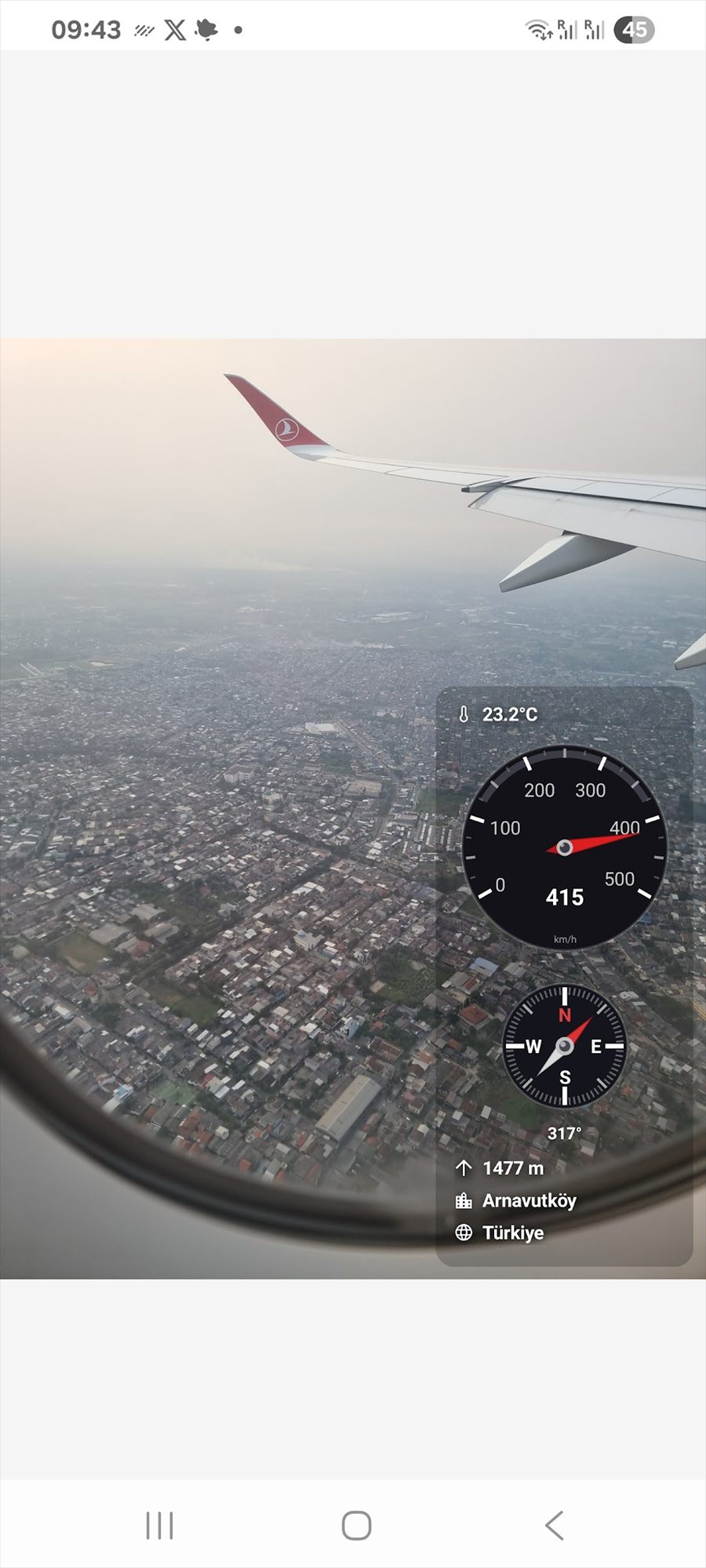
A city seen from a plane window with a speedometer gauge at 415 km/h, 23.2 degrees Celsius, a compass at 317 degrees and 1477 m altitude.
Speedometer, temperature, compass and altitude in the air.
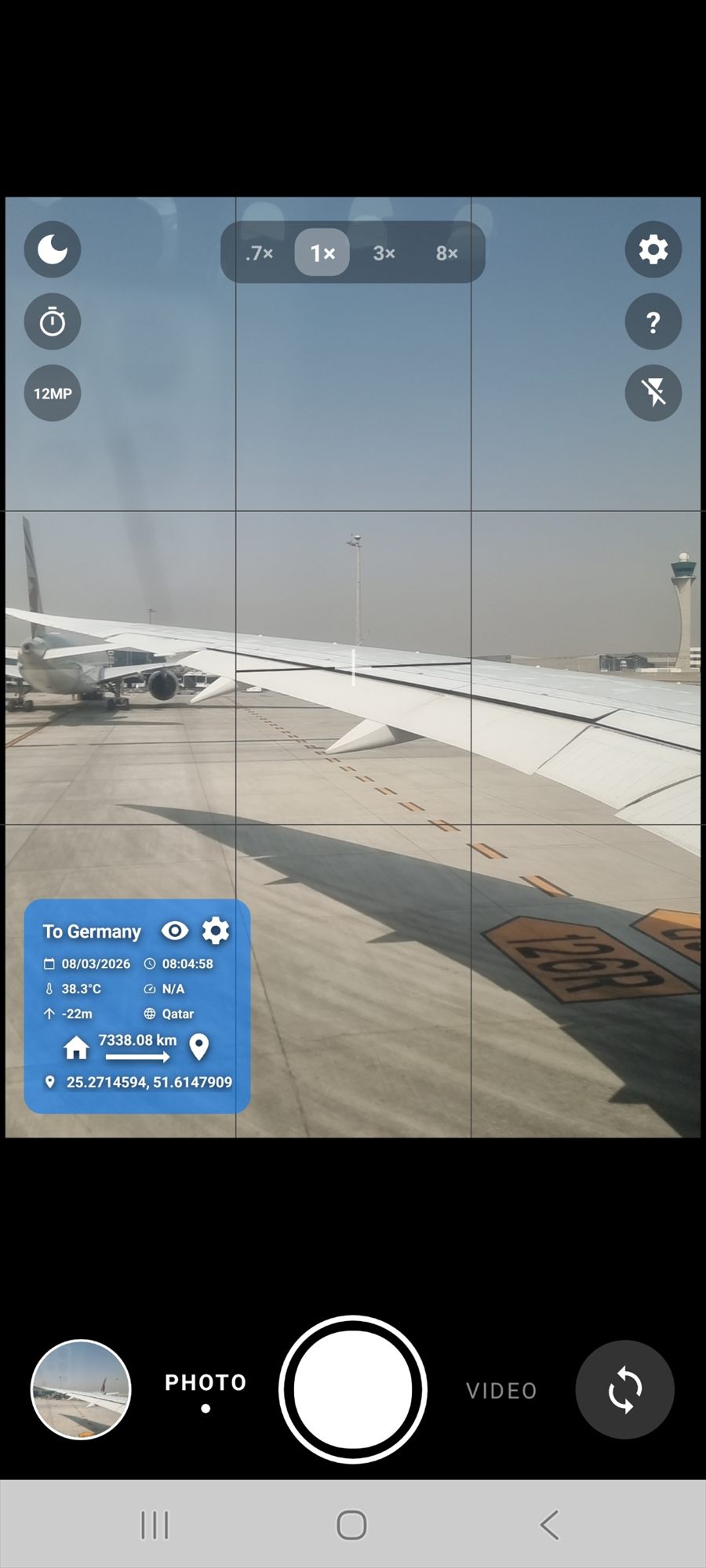
An aeroplane wing on an airport apron, with an overlay reading To Germany, 38.3 degrees Celsius, Qatar, and 7338.08 km from home.
Distance from home — 7,338 km away, with the trip name.
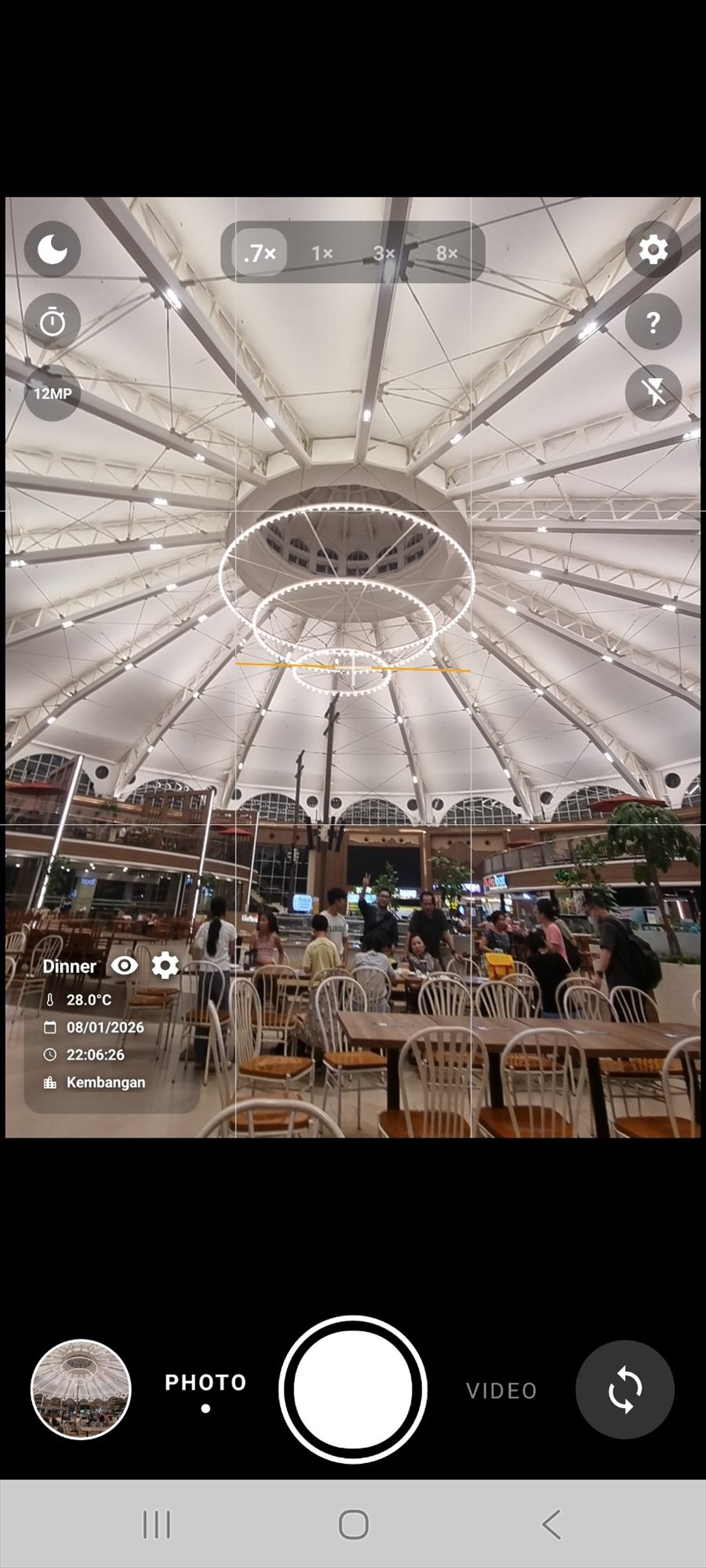
An indoor food court photographed in the evening, stamped with the event name Dinner, 28.0 degrees Celsius, the date, the time and the city Kembangan.
Give the moment a name — it goes on the photo and in the file name.
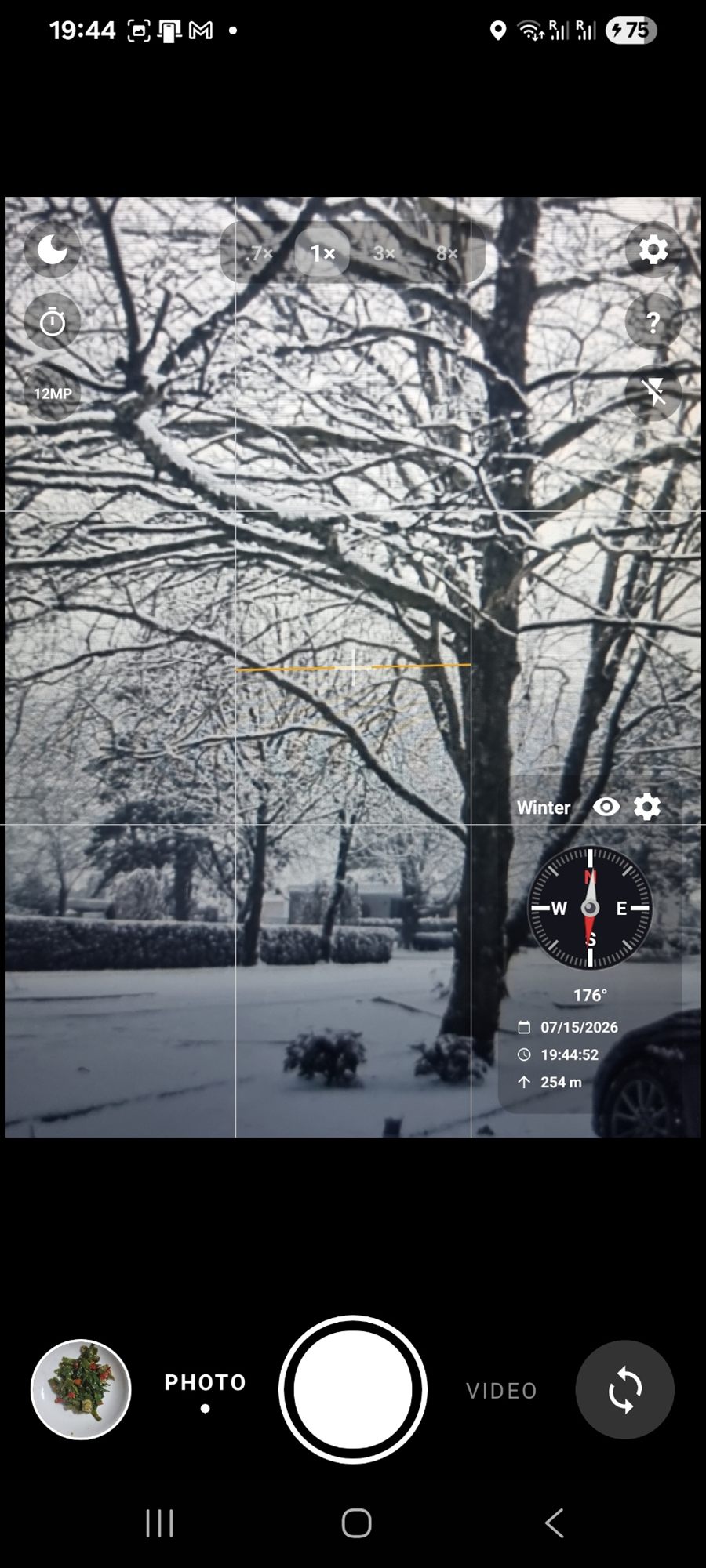
Snow-covered trees in a garden, with a compass at 176 degrees, the date, the time and 254 m altitude.
Compass heading and altitude on a winter photo.
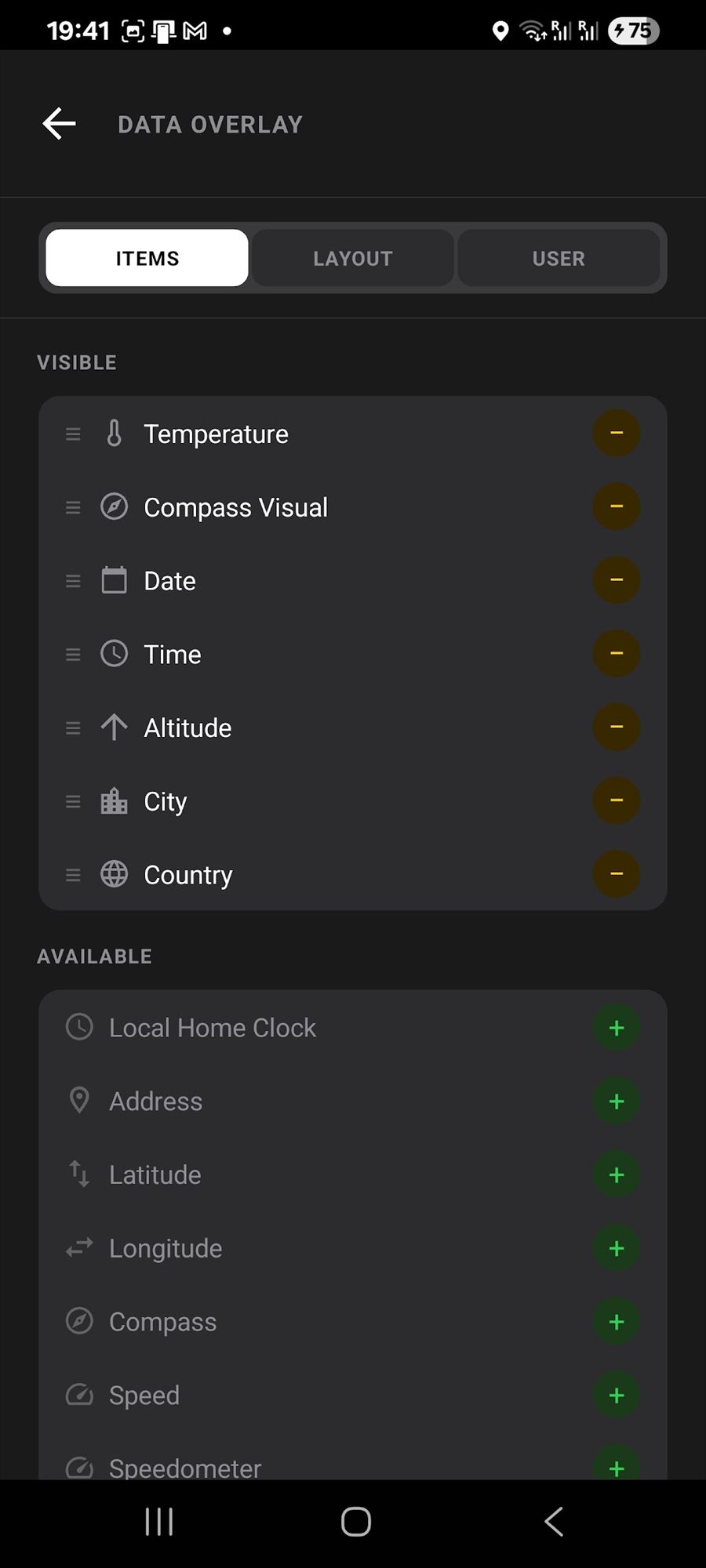
The Data Overlay settings screen, with a list of visible items such as temperature, compass, date, time, altitude, city and country, and more available below.
Choose which sensors appear, and drag them into the order you want.
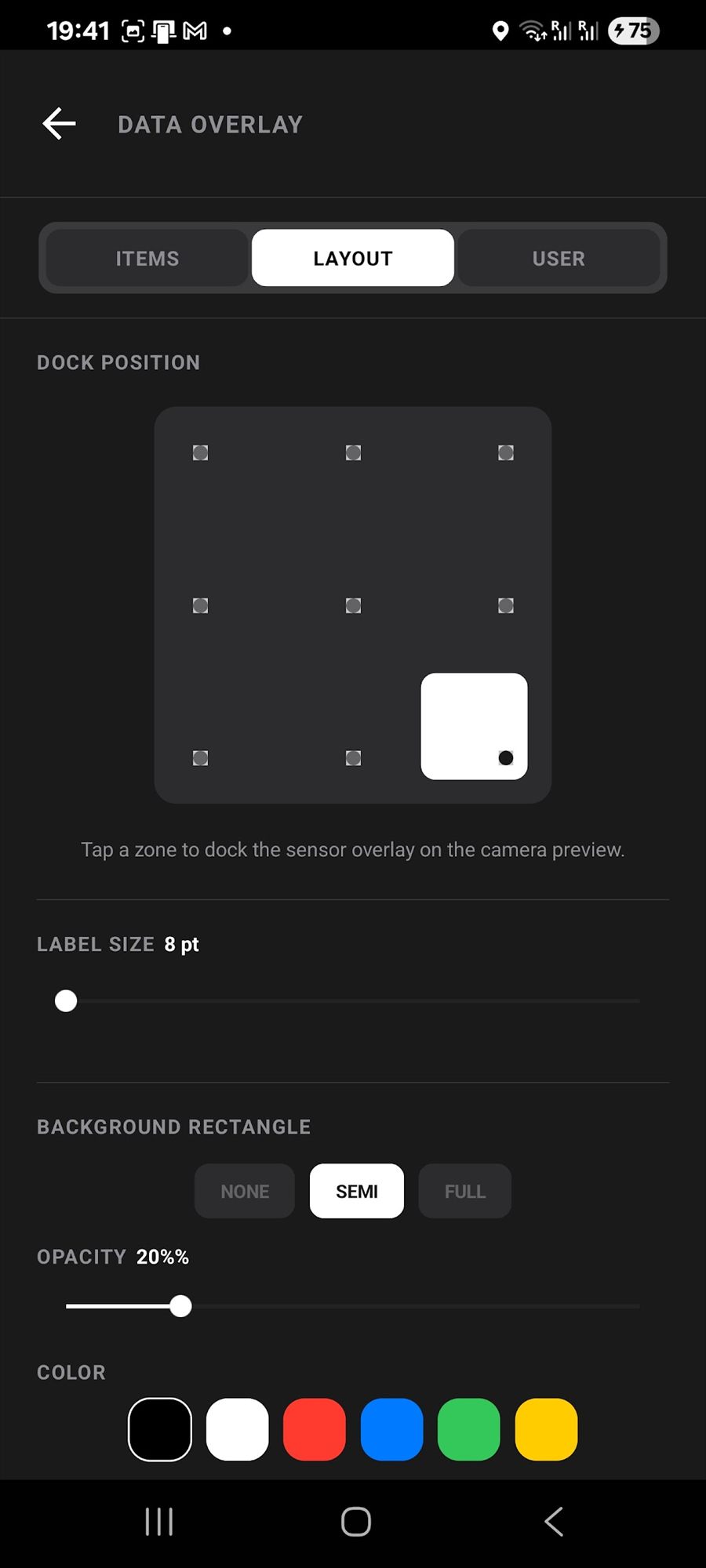
The overlay layout settings, with a grid to dock the overlay in any corner, plus label size, background style, opacity and colour choices.
Dock the overlay anywhere, then set size, opacity and colour.
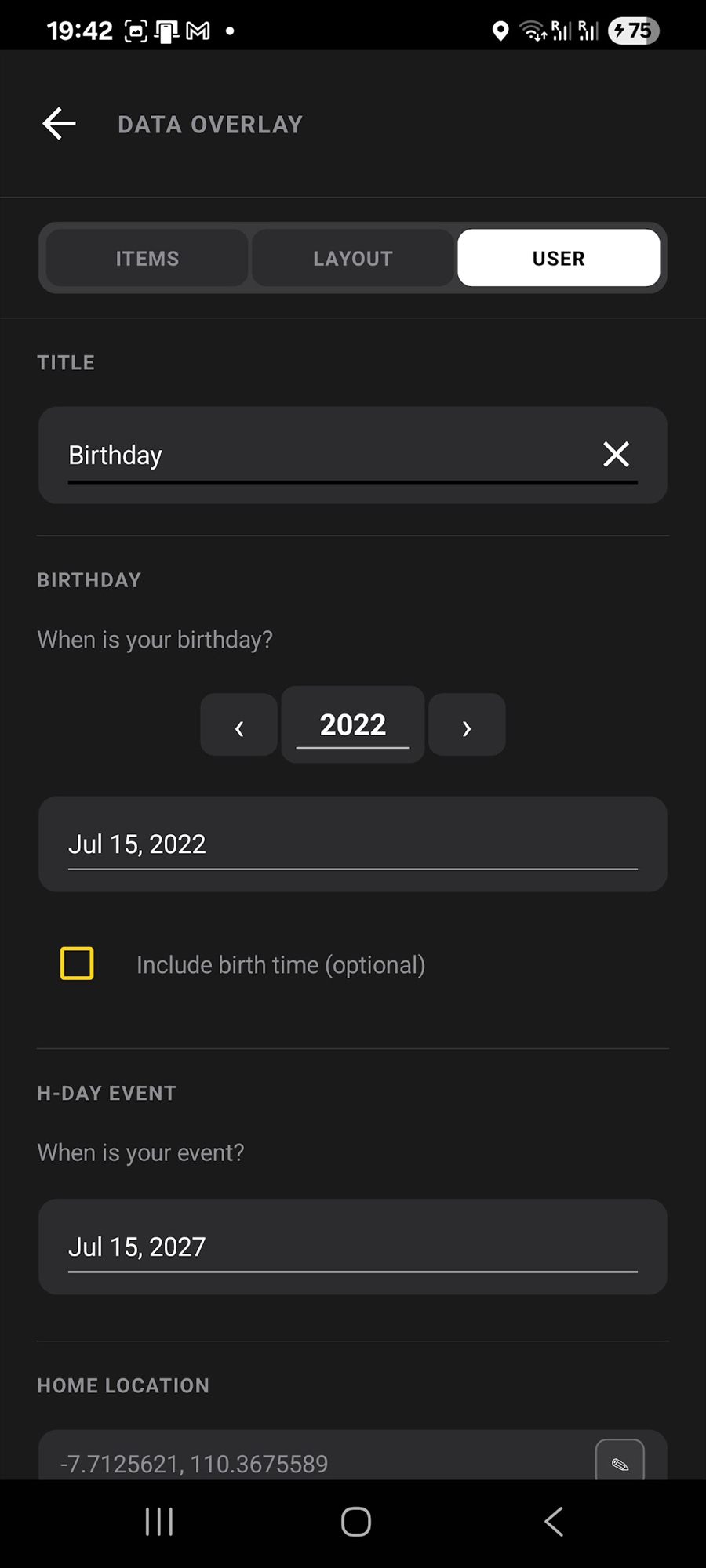
The user settings tab with a title field reading Birthday, a birthday date, an event date for the day counter, and a home location.
Set a title, an event date for the day counter, and your home location.
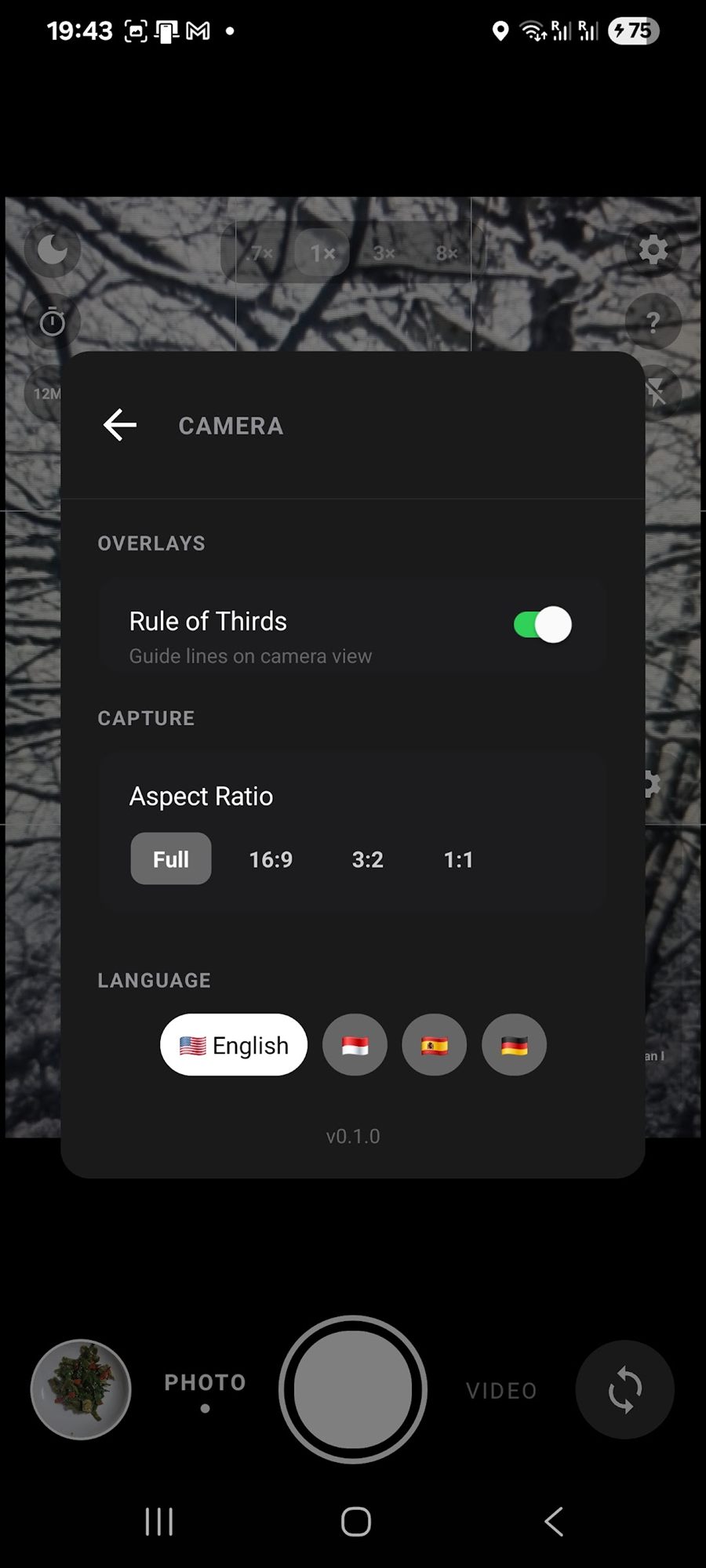
The camera settings panel with a rule of thirds switch, aspect ratio choices of full, 16 to 9, 3 to 2 and 1 to 1, and language flags for English, Indonesian, Spanish and German.
Grid lines, aspect ratio, and the app language.

File names and metadata

Find any photo again, months later

Files are named with the details that matter, so you can search for a place, a date or a trip name and find the photo straight away.

2026-06-23_0642_Patagonia_BirthdayTrip_Day3.jpg

  • Choose your own name pattern from date, time, city, country, event, day counter, temperature, altitude and more.
  • Full EXIF data is written too — GPS position, altitude, compass direction, date and device details, saved inside the file.
  • Read it back any time in the app gallery, or in any program that reads photo information.
An evening photo in the MemoCam viewfinder stamped with the event name Dinner, the temperature, the date, the time and the city.

Safe to install

What MemoCam does not do

Privacy here is a feature, not a disclaimer.
No sign-in, no email, no passwordJust open the app and use it.
Photos never leave your phoneThere is no cloud and no server behind the app.
No ads and no trackingNo advertising and no analytics tools are built in.
One small weather requestOnly anonymous coordinates go to a free weather service, so the temperature is correct. You can turn it off.
Works without internetEven the local time is correct in flight mode, because the time zone data is inside the app.
Honest permissionsCamera for photos, microphone for video sound and the voice tag, location for GPS, internet only for the weather.

Read the full MemoCam privacy policy

MemoShare app icon

Better with MemoShare

MemoCam takes the photo. MemoShare adds the same information to 50 older photos in one tap, and shares a whole album over your Wi-Fi with a QR code. Both are free, and both keep your data on your phone.

About MemoShare

Every photo remembers where you were

MemoCam is free, works on Android 10 and newer, and is available in English, Indonesian, Spanish and German.