MemoShare · Free for Android

Stamp many photos. Share offline.

Pick 50 photos. Add the date, the place and your trip name to all of them in one tap. Then share the album over your own Wi-Fi. Your friends scan a QR code, open their browser, and download the photos. They do not need to install anything.

No sign-in No upload No ads

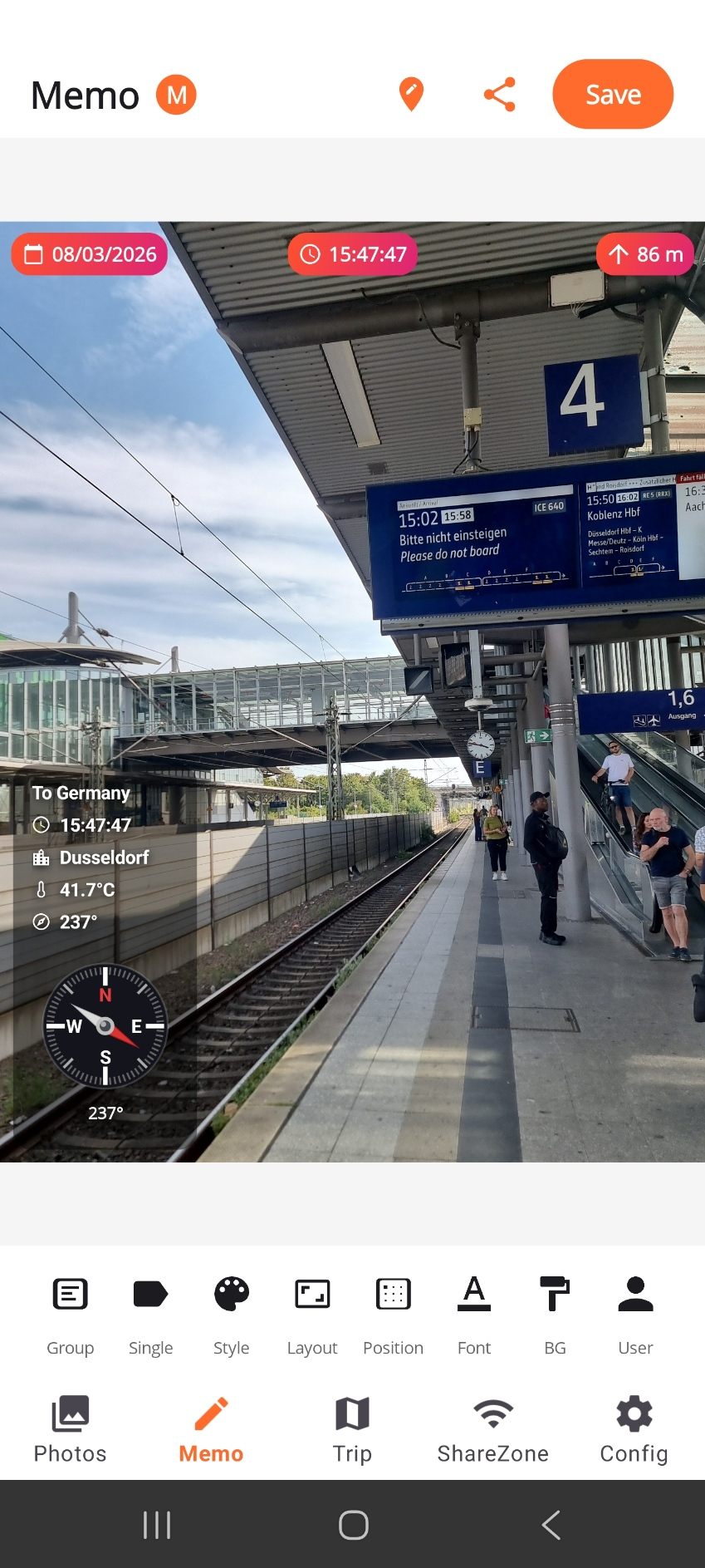
The MemoShare editor showing a railway platform photo stamped with the trip name To Germany, the time, the city Dusseldorf, 41.7 degrees Celsius and a compass.

The three helpers

A simple gallery that saves you hours

MemoShare looks and feels like a normal photo gallery. Big photos, a clear list, nothing new to learn. But it does three things no normal gallery does — all without a cloud, a sign-in, or an internet connection.

1. Stamp many photos at once

Choose up to 50 photos, pick a style, and add the date, the place, the trip name and the weather to all of them in one tap. Your old photos suddenly look like part of the same trip. The original files are not changed.

2. Share over your own Wi-Fi

Tap Share and a QR code appears. Friends in the same room scan it, a clean gallery opens in their browser, and they download what they want. Nothing is uploaded. When you close MemoShare, the gallery is gone.

3. Big photos you can read

Most galleries show tiny photos in a small grid, so the stamp becomes unreadable. MemoShare shows big photos, so you can always read the date, the city and the GPS. Filter by date, place or trip.

ShareZone

Send a whole album without the cloud

Your phone becomes a small private gallery on your local network. Nothing is uploaded, and the people receiving your photos do not need an account or an app.

Choose the photos

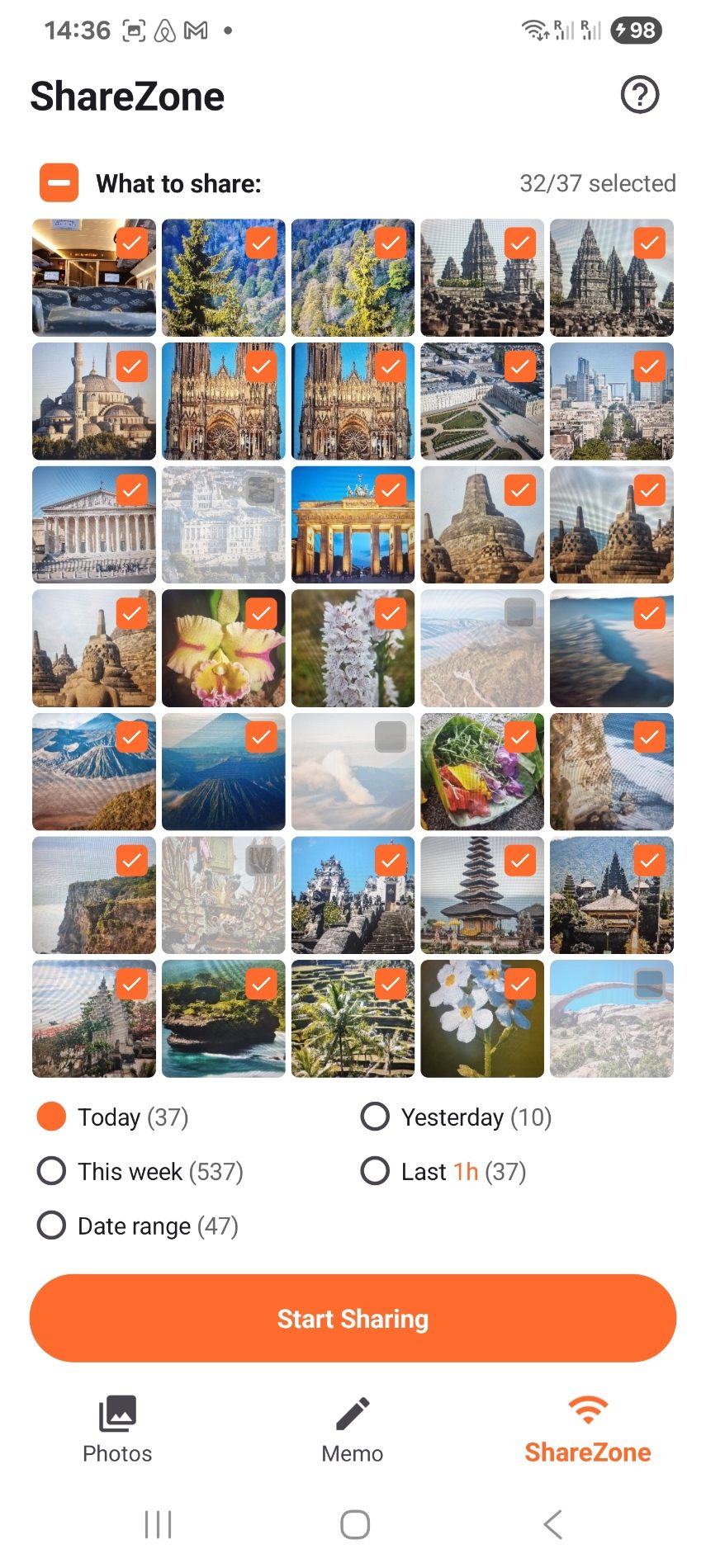
Pick a whole day, the last hour, a date range, or select photos by hand.

Start sharing

A QR code and a short link appear on your screen, protected by a one-time code.

They scan it

A photo gallery opens in their normal browser. No app, no account, no sign-in.

They download

Single photos, or hundreds at once as one ZIP file, with the original quality kept.

Screenshots

MemoShare on a real phone

Select a screenshot to see it larger.
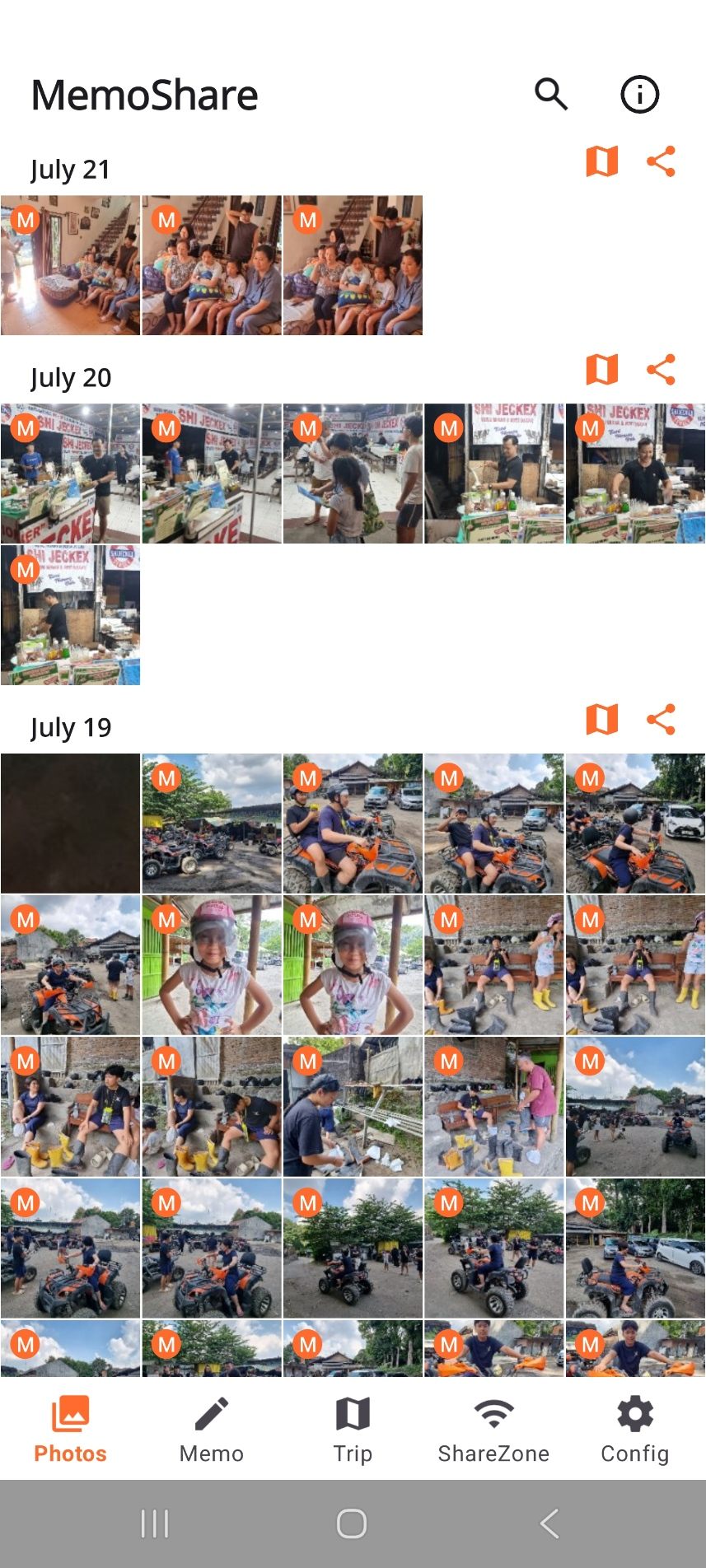
The MemoShare photo list, grouped under the headings July 21, July 20 and July 19, with an orange M badge on photos taken with MemoCam.
Your photos, grouped by day. The M badge marks a MemoCam photo.
The MemoShare editor showing a railway platform photo stamped with the trip name To Germany, the time, the city Dusseldorf, the temperature and a compass.
The editor. The stamp sits on the photo, ready to save or share.
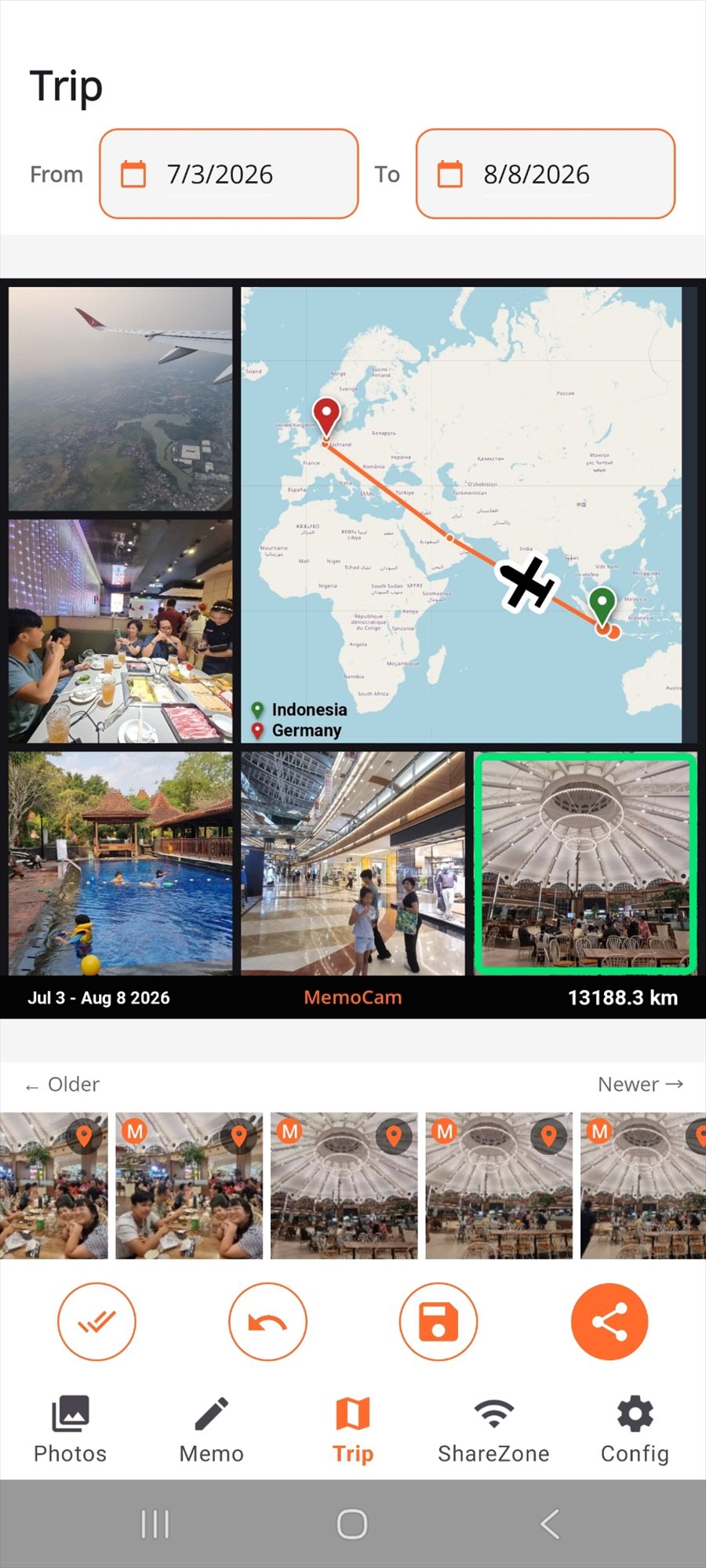
MemoShare Trip view with a world map, a route line drawn from Indonesia to Germany, a collage of trip photos and a total distance of 13,188.3 km.
Trip view draws your route on a map, with the total distance.
The ShareZone screen with a grid of selected photos reading 32 of 37 selected, date filters, and a large Start Sharing button.
Choose what to share, then start. Filter by day, week or date range.
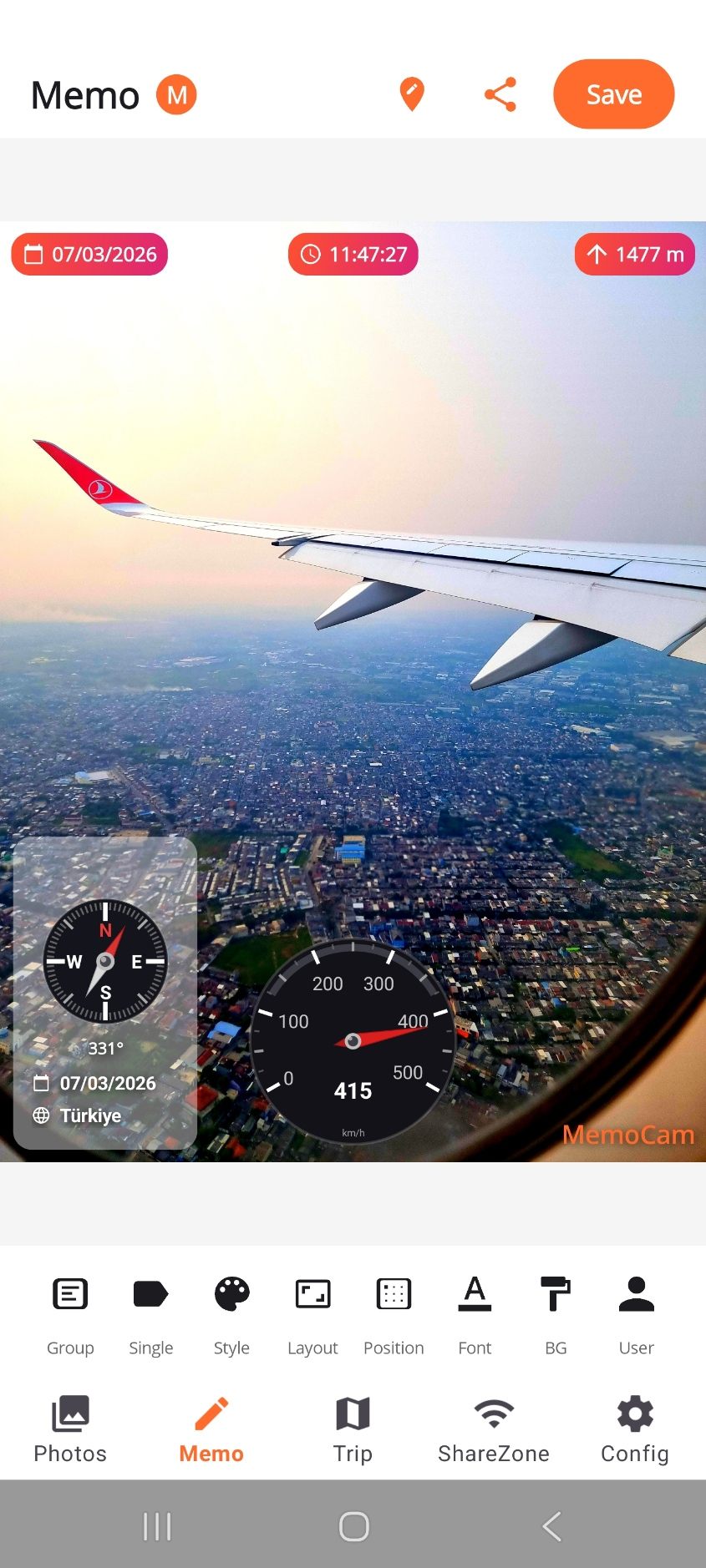
A photo taken from a plane window, stamped with the date, the time, 1477 m altitude, a compass at 331 degrees and a speedometer at 415 km per hour.
Add a compass, a speedometer and the altitude to an older photo.
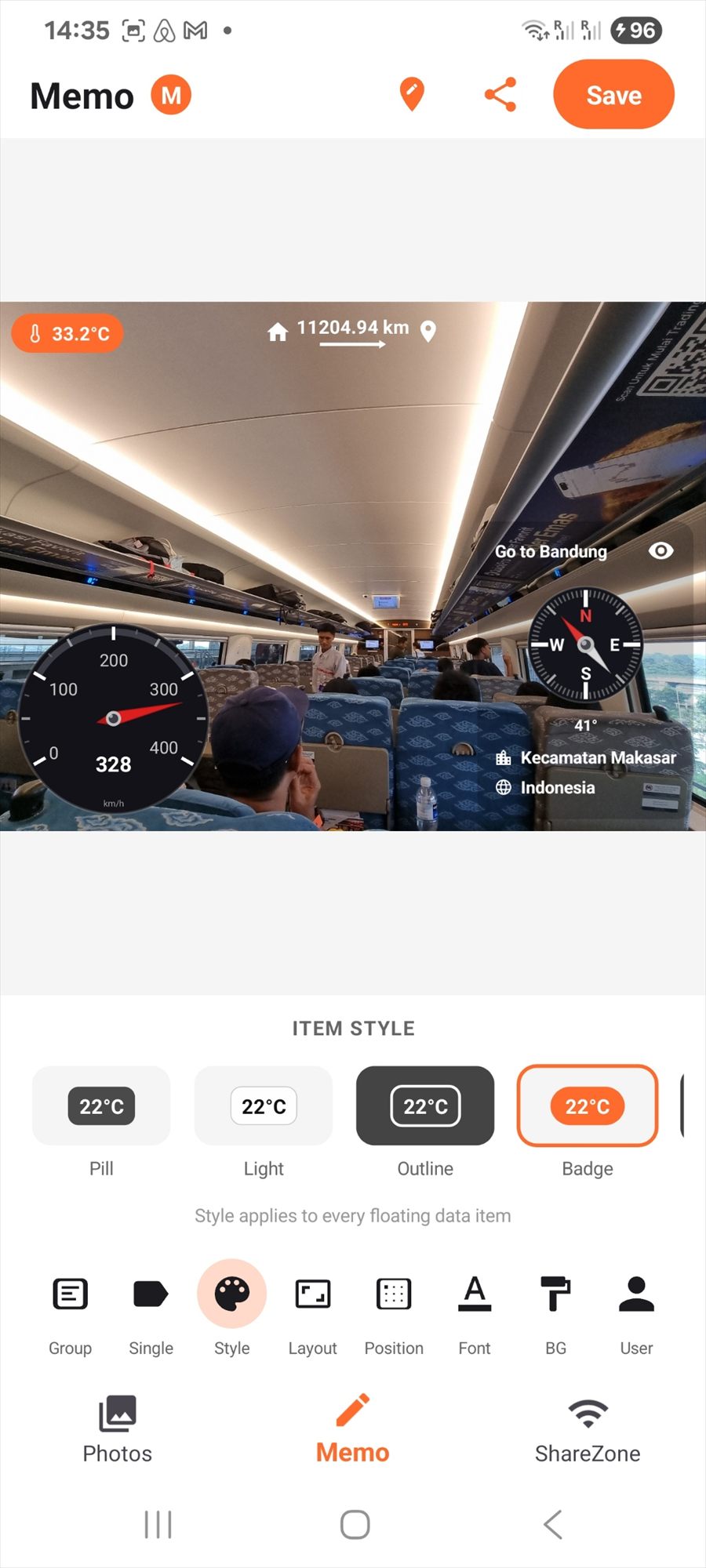
The item style picker offering four looks called Pill, Light, Outline and Badge, shown above the photo being edited.
Four stamp styles. One tap changes every item on the photo.
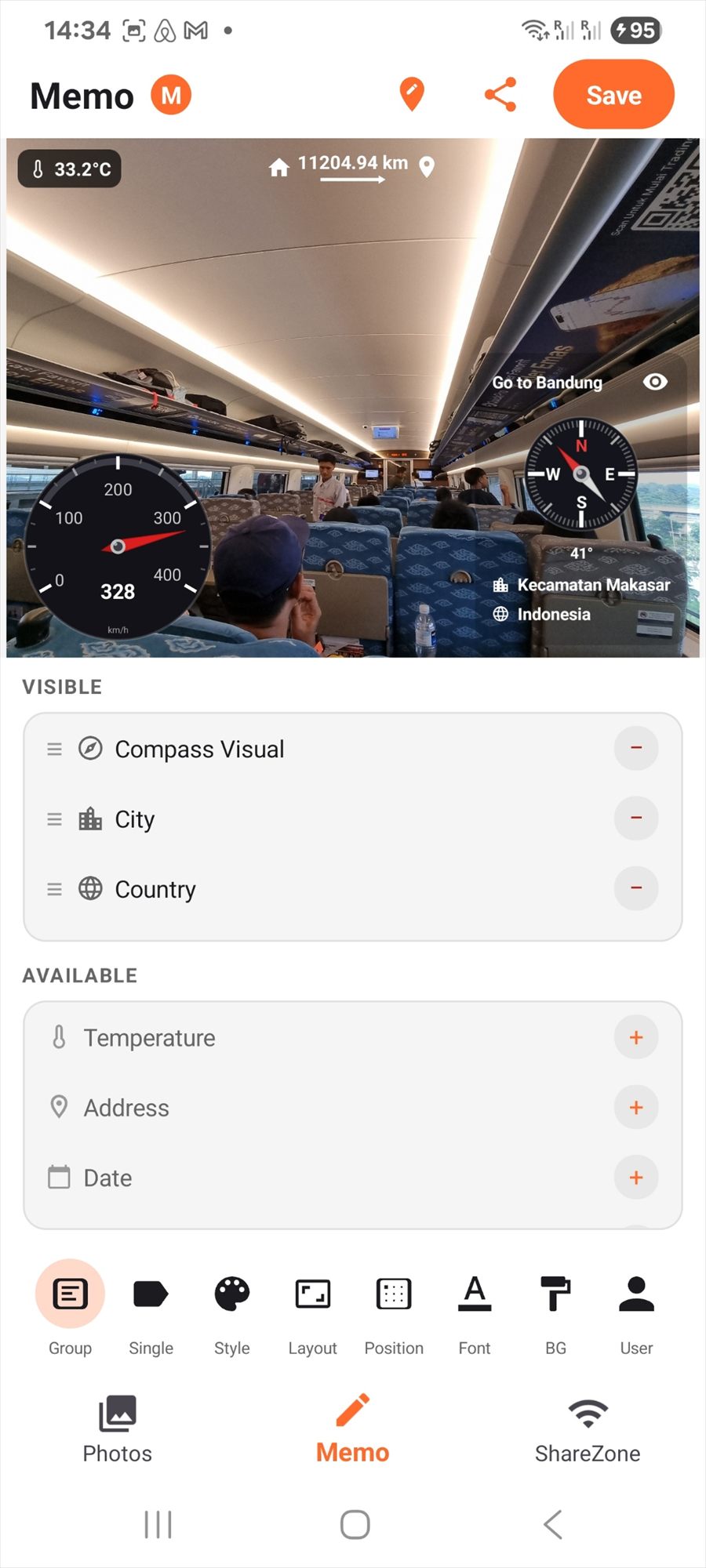
The editor with a list of visible items such as the compass, city and country, and more available items such as temperature, address and date.
Pick which details appear, and drag them into the order you want.
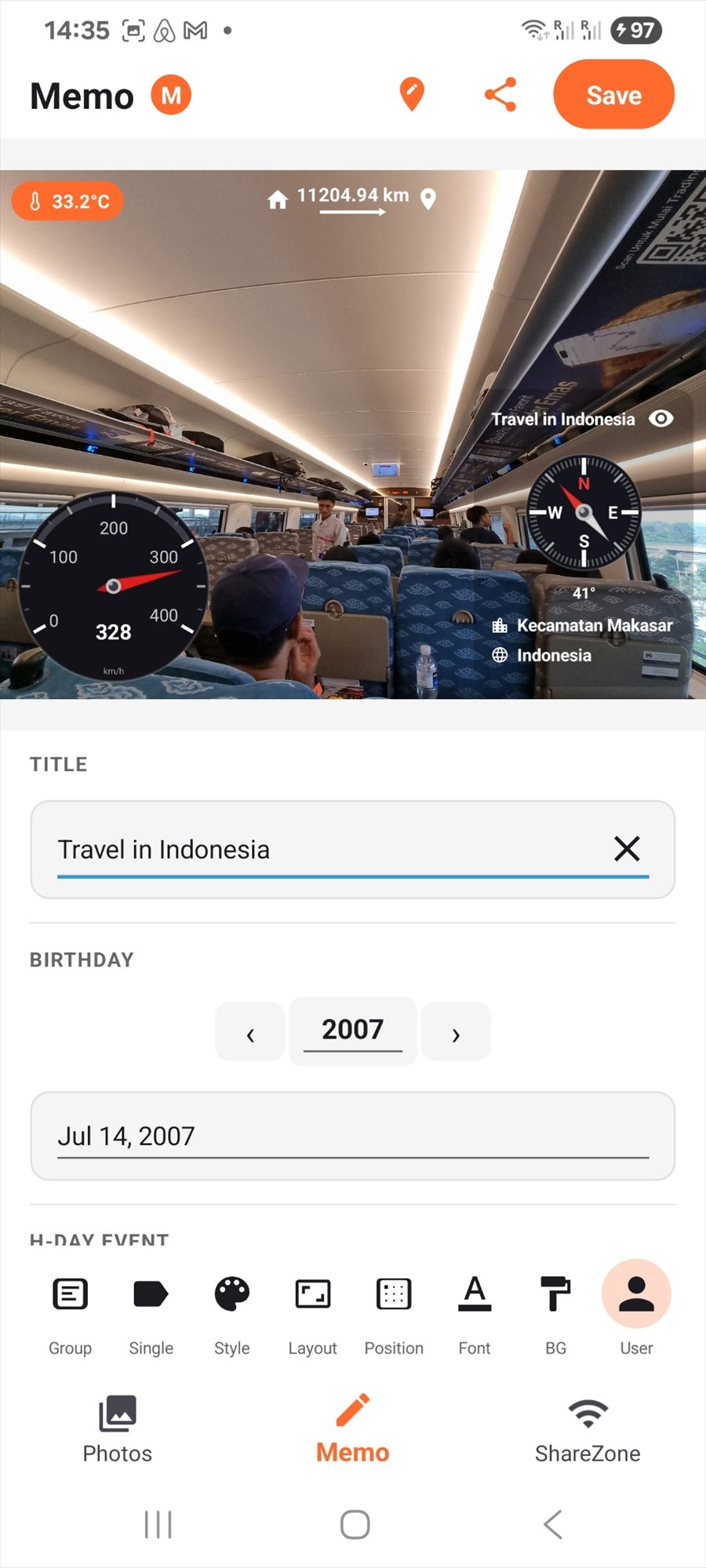
The user tab with a title field reading Travel in Indonesia, a birthday date and an event date field.
Name the trip once, and it goes on every photo in the set.
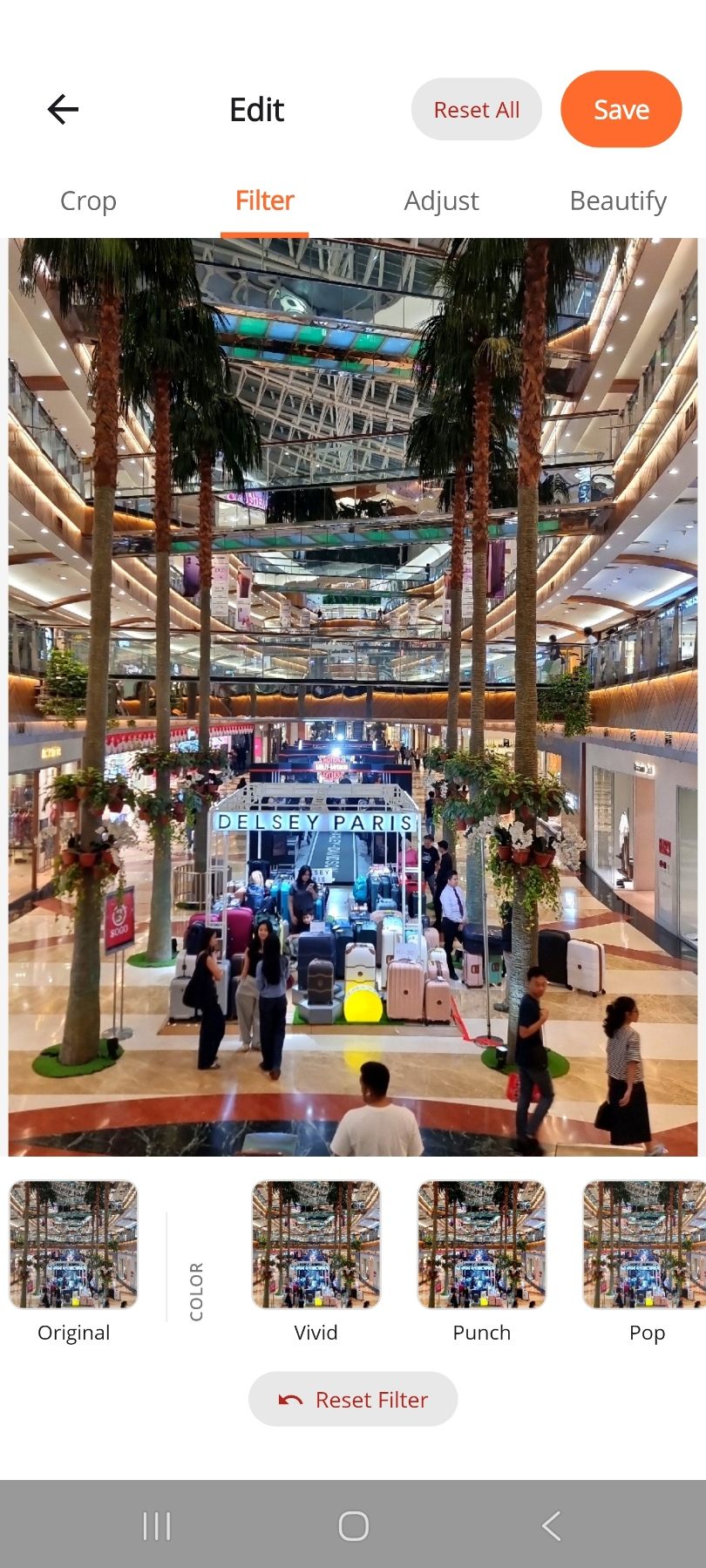
The edit screen with tabs for Crop, Filter, Adjust and Beautify, showing filter previews named Original, Vivid, Punch and Pop.
Crop, filter, adjust and beautify. The original file is never changed.

More in the app

Everything that happens after the photo

  • Trip view — pick two dates and MemoShare draws your route on a world map with the total distance, ready to share as one picture.
  • Simple edits — crop, filters, brightness, contrast, colour and a beautify tool. The original photo is always kept.
  • Easy export — save a full album as a ZIP file, save a single photo, or use the normal Android share button.
  • Works with MemoCam — photos taken in MemoCam arrive with their details already attached, and are marked in the list.
MemoShare Trip view showing a world map with a route from Indonesia to Germany and a total distance of 13,188.3 km.

Good for

Who uses MemoShare

Family trips

Send every photo to the grandparents over the home Wi-Fi, at full quality, without a cloud account.

Site visits

Add the date and the location to 30 site photos, export them as a ZIP, and attach the file to your report.

Real estate

Clean, consistent photos for every listing, with the same stamp style across the whole set.

Parties and weddings

Guests scan one QR code and download every photo of the night before they go home.

Safe to install

Nothing is sent online

Sharing uses only your local Wi-Fi. Privacy here is a feature, not a disclaimer.
No sign-in, no email, no passwordOpen the app and use it.
No cloud, everWhen you close the app, the gallery is no longer on the network.
No ads and no trackingNo advertising and no analytics tools are built in.
Your friends need nothingNo account and no app on their side — just a normal browser.
A code protects the shareOnly people you show the QR code to can open your gallery.
Honest permissionsPhotos to read your gallery, local network for Wi-Fi sharing, storage to save edited copies.

Read the full MemoShare privacy policy

MemoCam app icon

Better with MemoCam

MemoCam takes photos with the details already on them: GPS, weather, time and direction. MemoShare organises and shares them. Two free apps, one idea — dark for taking photos, light for sharing them.

About MemoCam

Share the photos in the room with you

MemoShare is free and works on Android 10 and newer.